
Case study
SimpleStudy
Past papers, marked in seconds.
- Client
- SimpleStudy
- Platform
- Web + mobile
- Industry
- Edtech, AI
- Role
- Senior product designer, led AI grading
- Scale
- 1.8M+ students
SimpleStudy is an exam-prep platform for secondary school students taking exams like GCSEs, A-Levels and the Leaving Cert. Students practise with past papers and exam questions, and get their answers marked against the official marking scheme. I designed AI grading, which marks every question in seconds and gives detailed feedback.
The short version
Marked in seconds, with a reason for every mark.
Students answered past paper questions and the system marked them, but marking was slow and results came without much feedback.
Designed AI grading end to end: answering by typing, writing maths, drawing or uploading photos; marking against the official scheme; and results with AI feedback and a next step to practise.
AI grading shipped while SimpleStudy grew past 1.8 million students and raised a ~$4M seed round.

The problem
Marking was slow, and a mark didn’t say why.
Past papers are the best way to prepare for exams like the Leaving Cert, GCSEs and Brazil’s ENEM. Students answered questions on SimpleStudy, and the system marked them against the official scheme.
Results were slow and came back as a number. Students could open the paper’s Marking Scheme tab (the official answer guide examiners mark against) and compare it with their answer, but working out where they lost marks was up to them.
A student answers a past paper question on SimpleStudy.
Mídé.The system marks it against the official scheme, and they wait for the result.
Mídé.They get a mark, then compare their answer with the marking scheme to work out what went wrong.
Mídé.
What was missing
Three things stood between a mark and learning from it.
Students waited on marks before they could move on.
A score didn’t say which parts of an answer earned marks and which didn’t.
Comparing an answer with the marking scheme was hard, because schemes are written for teachers.
Before AI grading
The original marking flow.

How it works
Answer however the question needs, then get it marked.
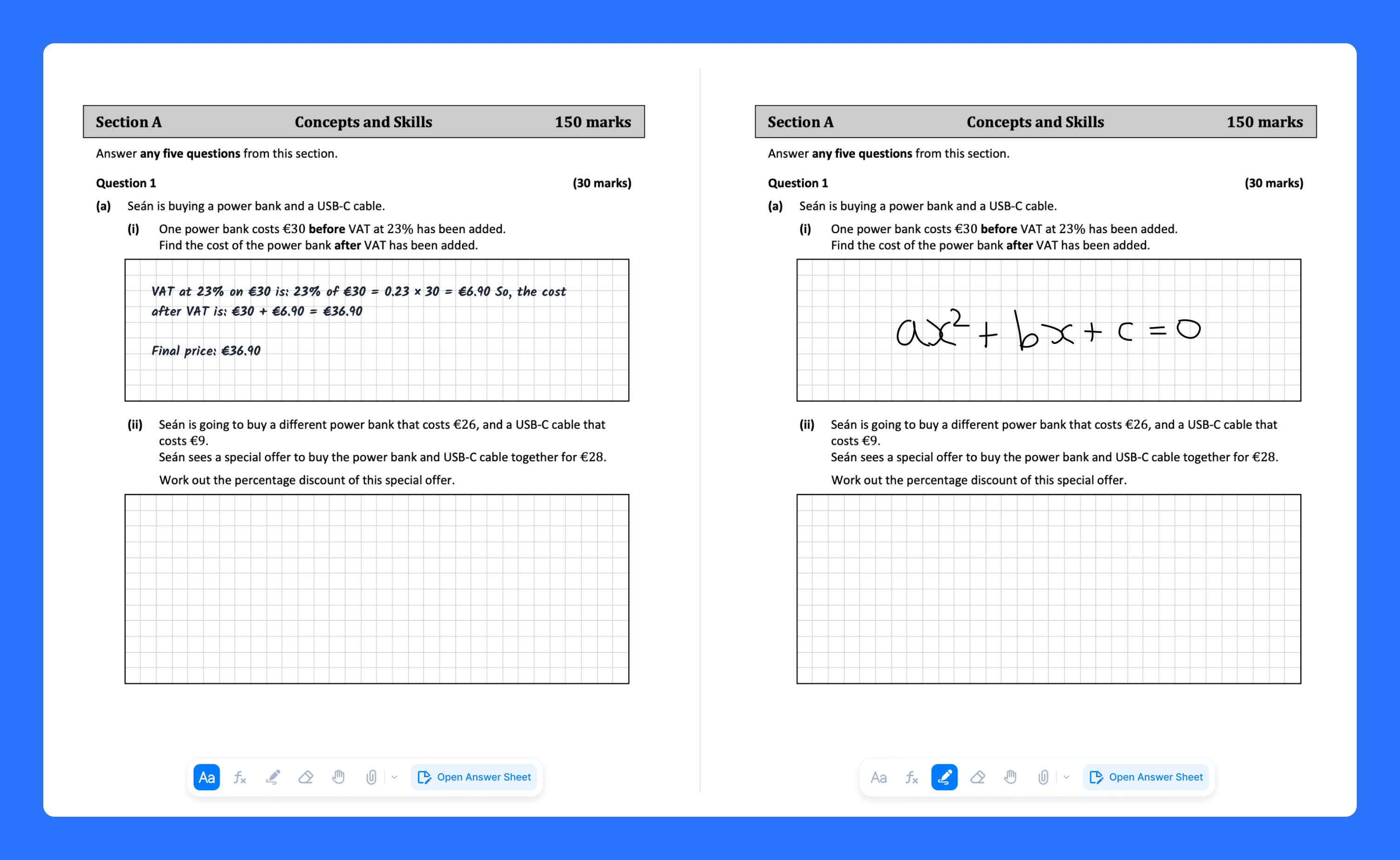
Students can type an answer, write maths with the formula tool, draw a diagram with the pen, or photograph pages they wrote by hand. The AI marks each part against the official scheme in seconds and returns marks, written feedback and an overview of the whole paper.
Decision 01
Let students answer the way the question needs.
Some answers are equations or diagrams. So questions open on the paper itself, with a toolbar for typing, maths and drawing with a pen. For work done on paper, I designed a mobile flow where students tap anywhere on the question to take a photo or upload one from their gallery, and it lands right in the answer space.
Tradeoff
More ways to answer put more tools in every answer box, so the canvas opens with a short three-step tutorial.

Decision 02
Be honest about the AI.
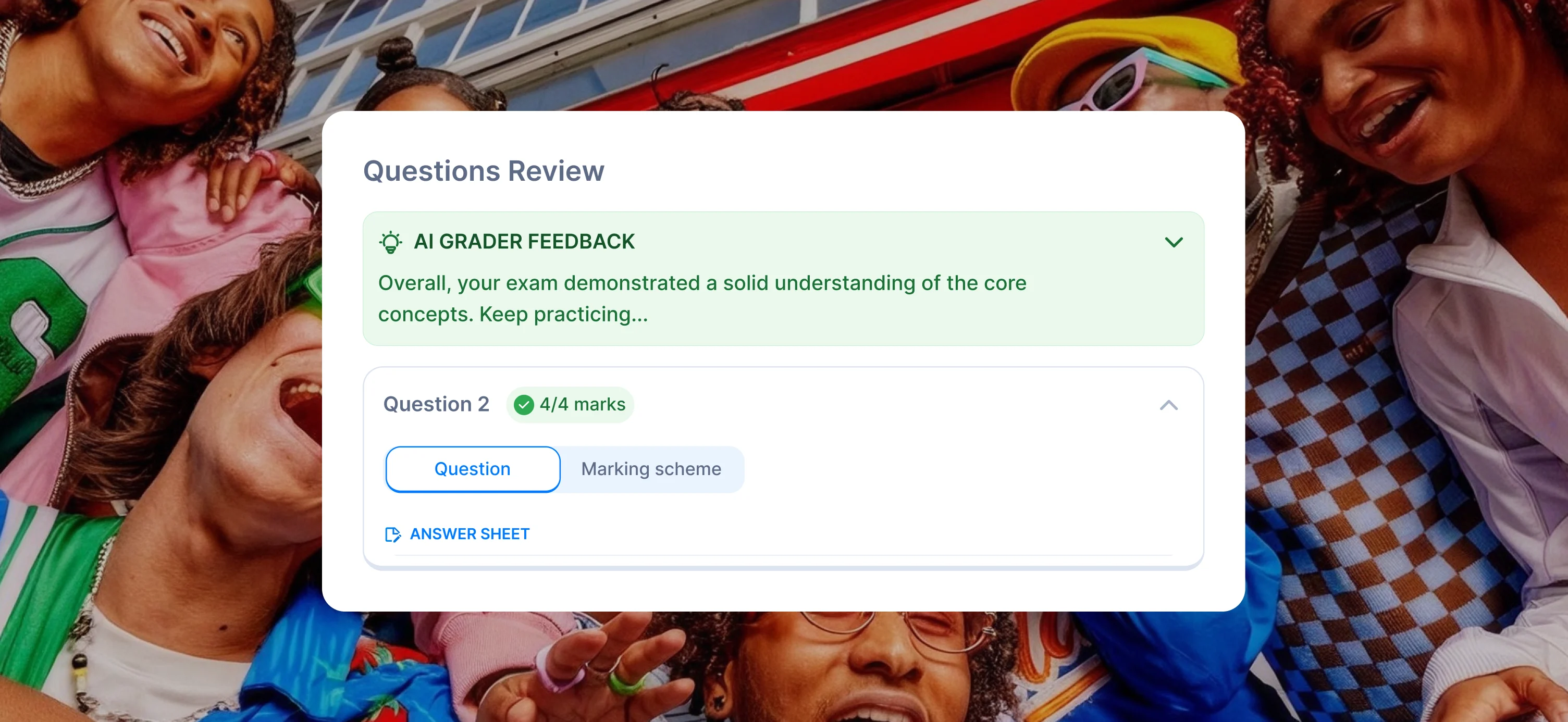
An AI marking your exam has to earn trust. Every question shows its marks and the AI’s feedback, with the official marking scheme one tap away, so students can check how each mark was given. The upload screen says plainly that SimpleStudy can make mistakes, and students who’d rather not use the AI can enter their grade manually.
Decision 03
Turn a score into a next step.
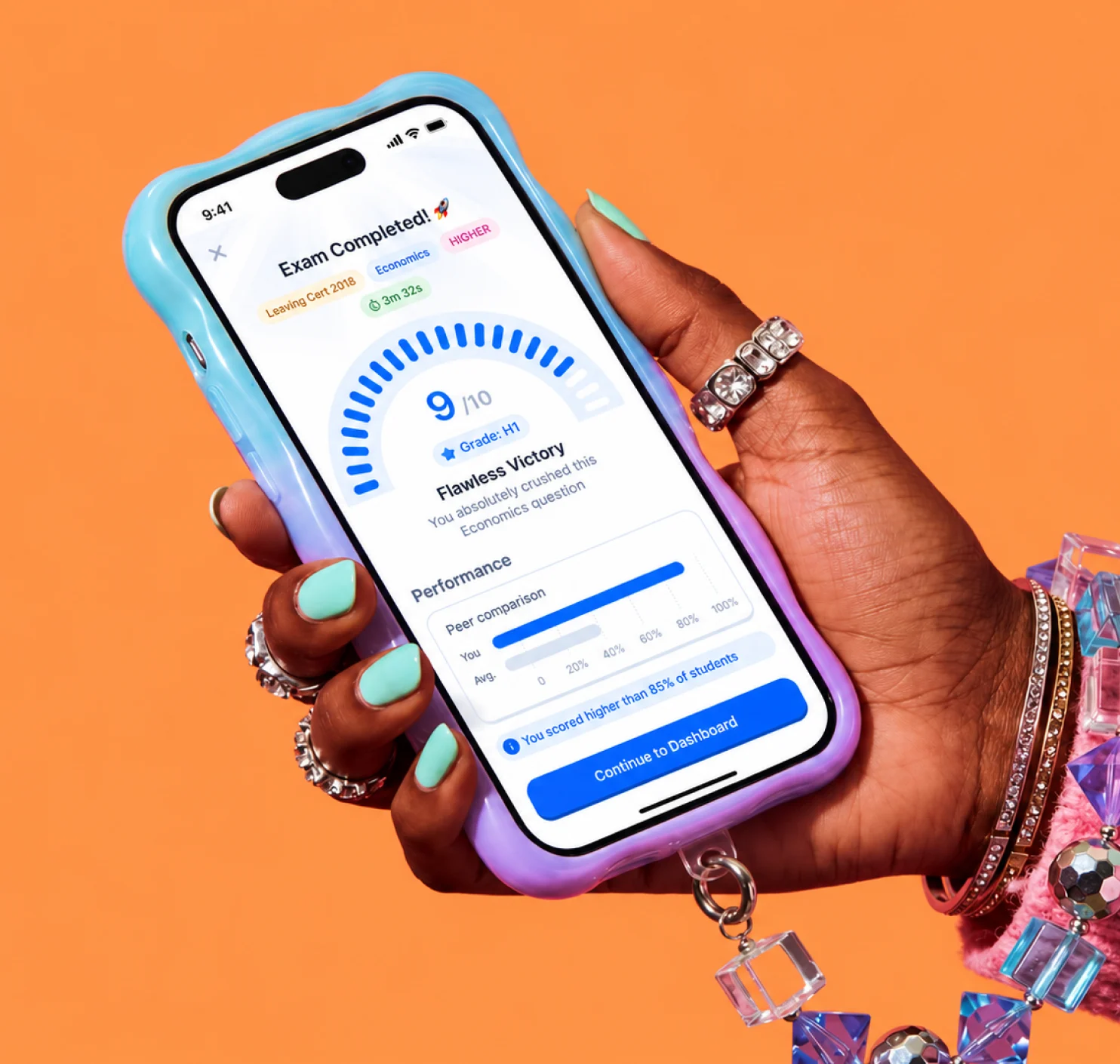
A mark alone doesn’t help you improve. The results page leads with the score, the grade and the time taken, then the AI’s overall feedback and a review of each question. It ends with a next step: a related practice exam, or unlimited questions with Premium.
Outcome
AI grading shipped to students in five countries.
AI-graded exams shipped across Questions by Topic (practice questions grouped by topic) and Past Papers, for curricula in Ireland, the UK, Brazil, South Africa and Australia.
It happened while SimpleStudy grew past 1.8 million students, with 40–50k new students joining every week, and raised a ~$4M seed with investors from Strava, OpenAI and Meta. I was one of two designers, and I also designed the Leaderboard and the completion pages across quizzes, flashcards and past papers.
Credits
- Amanda · Head of UX & Design
- Samson Dappa · Product Designer
 Flick